Why Is My Website Slow? 9 Common Causes and How to Fix Them

You click a link, stare at a blank screen, and give up after a few seconds. Your visitors do exactly the same thing on your website. A slow site quietly loses customers, and most owners never notice because the people who leave never say anything.
If you keep asking yourself "why is my website slow?", the good news is that slow websites usually have a small number of causes, and most of them can be fixed. Here are the nine we see most often.
Key takeaways
- Measure first: run PageSpeed Insights on mobile.
- Big images, weak hosting and extra scripts cause most slowdowns.
- Fix the biggest problem first, then test again.
First, measure before you guess
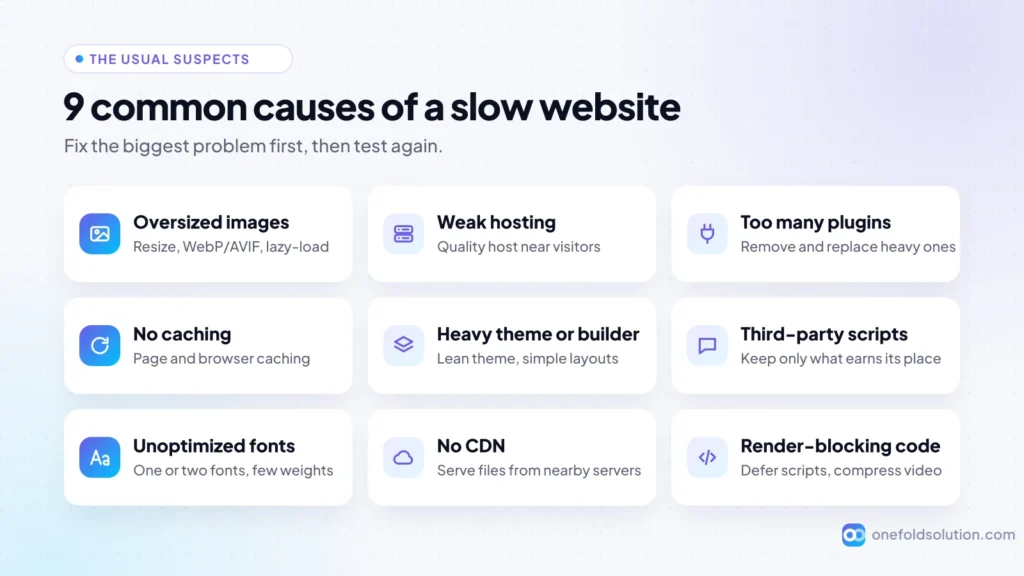
Open Google's free PageSpeed Insights, paste your address, and run the test on mobile. Look at three numbers, known as Core Web Vitals:
- Largest Contentful Paint (LCP): how fast the main content appears. Good is 2.5 seconds or less.
- Interaction to Next Paint (INP): how quickly the page reacts when someone taps or clicks. Good is 200 milliseconds or less.
- Cumulative Layout Shift (CLS): how much things jump around while loading. Good is 0.1 or less.
You can also run our free website audit and get a plain-English summary.
1. Images that are far too big
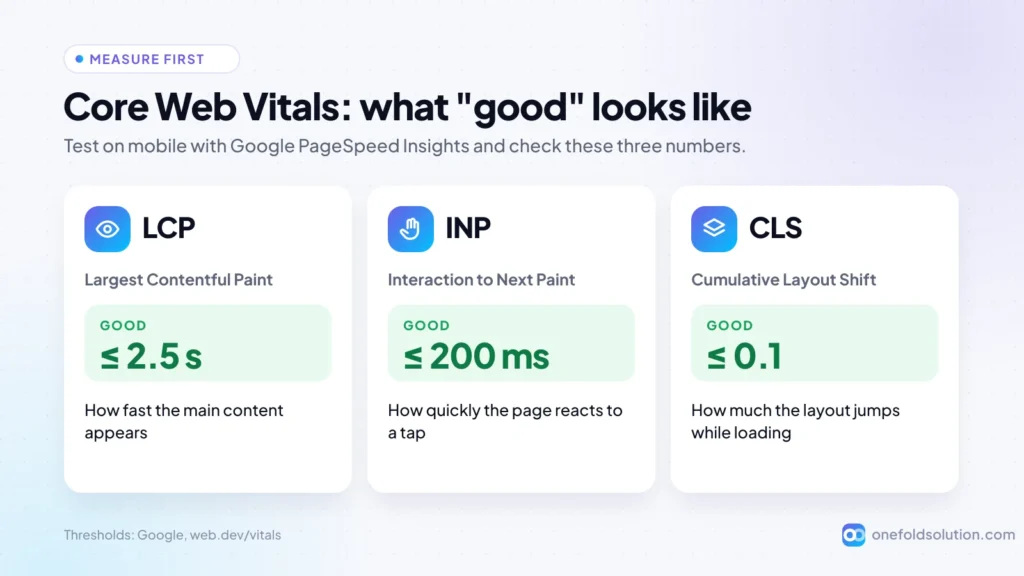
This is the number one cause. A photo straight from a phone camera can be several megabytes, but a web page rarely needs more than a few hundred kilobytes per image.
Fix: resize images to the size they are actually displayed, save them as WebP or AVIF, compress them, and lazy-load images that sit below the first screen. One exception: do not lazy-load the main image at the top of the page, because that delays the very thing visitors came to see.
2. Weak or overcrowded hosting
Very cheap shared hosting puts your site on a server with many others. When they get busy, you slow down.
Fix: move to quality hosting with modern server software and good support. For most business sites, a well-configured managed host or a good cloud plan is a real upgrade. Choose a server location near most of your visitors.
3. Too many plugins and scripts
On WordPress, every plugin can add files that the browser must download. Ten plugins doing small jobs often cost more speed than one well-built custom feature.
Fix: remove what you do not use, replace heavy plugins with lighter ones, and keep what remains updated.
4. No caching
Without caching, the server rebuilds the page from scratch for every visitor.
Fix: use page caching and browser caching. A good caching setup can make repeat loads dramatically faster.
5. A heavy theme or page builder setup
Multipurpose themes load code for hundreds of features you never use. Page builders are powerful, but careless use adds extra layers of markup and styles.
Fix: use a lean theme, switch off unused builder features, and keep page designs simple where it counts.
6. Third-party scripts
Chat widgets, ad pixels, heatmaps, social feeds and embedded videos all load code from other companies. You do not control their speed.
Fix: keep only what earns its place, load them after the main content, and test your site with and without each one to see what it really costs.
7. Unoptimized fonts
Loading five font families in many weights slows the first view of your text.
Fix: use one or two fonts, load only the weights you need, serve them from your own domain, and make sure text stays visible while the font loads.
8. No content delivery network (CDN)
If your server is in one country and your visitor is in another, the distance adds delay.
Fix: a CDN keeps copies of your files in many locations, so they arrive from a nearby server.
9. Render-blocking code and autoplaying video
Large CSS and JavaScript files can stop the page from appearing until they finish loading. A big autoplaying background video can do the same.
Fix: load only the code each page needs, defer non-critical scripts, and compress videos hard. Use a still poster image on slow connections.
What you can fix yourself, and when to ask for help
Compressing images, removing unused plugins and switching on caching are things many owners can do. Hosting changes, code cleanup and Core Web Vitals work are easier with a developer, because a wrong change can break the site.
If you would like to know exactly what is slowing your site down, run our free website audit or talk to the Onefold team.
Need help with this?
Onefold can do it for you. See our Web Development, start with a free website audit, or ask us a question.
FAQ: why is my website slow?
What is a good website loading time?
For the main content to appear, aim for 2.5 seconds or less (Google's "good" LCP threshold) on a real mobile connection.
Does website speed affect SEO?
Core Web Vitals are part of Google's page experience signals. Speed will not rescue weak content, but a slow site can hold a good one back.
Why is my WordPress site slow but my friend's is fast?
Usually it comes down to hosting, image sizes, the theme and the number of plugins and scripts, not WordPress itself.