Video Marketing for Small Businesses: 7 Video Ideas That Actually Work
People often understand a short video faster than a page of text. You do not need a big production to use it well. You need a clear goal, a simple story and consistent editing.
Key takeaways
- Plan the goal, the audience and one message first.
- Short, captioned videos with a clear next step work best.
- Good editing makes simple footage look professional.
First, plan the basics
- Goal: More enquiries, more understanding, more trust, or more followers? Pick one.
- Audience: Who is watching, and where?
- One message: Each video should say one main thing.
- Length: Keep it as short as the story allows. A 30 to 60 second video is often enough for a clear message.
- Call to action: What should viewers do next?
7 video ideas
1. A short brand introduction. Who you are, what you do and who you help, in under a minute. Great for your homepage.
2. An explainer video. Show how your service or product works. Useful when the offer is hard to explain in text.
3. Product or service demo. Show the real thing in use. Real examples build more trust than claims.
4. Customer testimonial. A real customer telling their experience in their own words. Always ask permission, and never script false praise.
5. Behind the scenes. Show your team and your process. It makes the business feel human and approachable.
6. Answers to common questions. Take the five questions customers ask most and answer each in a short clip. These work well on your website and social channels.
7. Short clips for social media. Cut longer videos into short vertical clips with captions for platforms like Instagram, Facebook and YouTube Shorts.
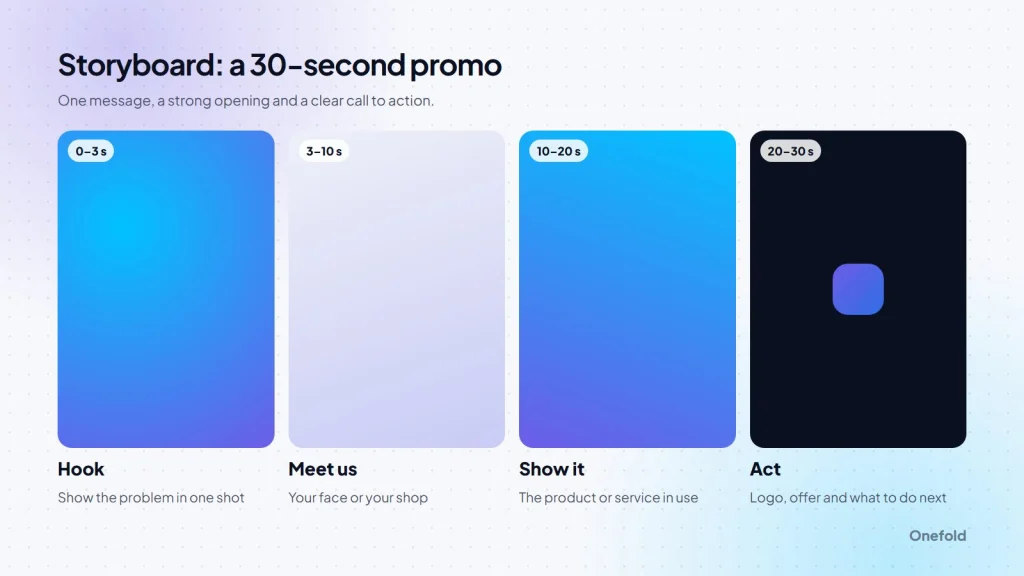
Editing makes the difference
Good editing is the difference between a video people finish and one they skip.
- Strong opening. Say or show something interesting in the first few seconds.
- Captions. Many people watch in public places without sound, so add captions.
- Clear sound. Poor audio loses viewers faster than slightly imperfect video.
- Consistent look. Use your brand colors, fonts and logo so your videos feel like one family.
- Tight pacing. Cut pauses and repetition.
Putting video on your website
Video can slow a site if handled badly. Compress the files, use a poster image, do not autoplay heavy video on mobile, and load videos only when needed. A fast site with a good video beats a slow site with a great one.
Measure what works
Track views, how long people watch, and the actions that follow (clicks, calls, form submissions). Make more of what performs, and drop what does not.
Need help with video editing or motion? See our video service or get a free quote.
Need help with this?
Onefold can do it for you. See our Video Editing, start with a free website audit, or ask us a question.
FAQ
Do I need expensive equipment?
Not to begin. A modern phone, good light and clear sound go a long way. Editing is where most of the polish comes from.
How long should a business video be?
As short as it can be while still delivering the message. For many promotional videos, that is 30 to 90 seconds.
Where should I publish my videos?
Wherever your customers already spend time, plus your own website.