
Do You Need a Mobile App or Just a Mobile-Friendly Website?
Not sure if your business needs an app? Use this simple guide to compare apps and websites on cost, features, speed to…
Software Development
Keep every lead, customer, conversation and follow-up in one place, so your team never loses track of a sale.
About this service
CRM stands for Customer Relationship Management. It is the system where your team records leads, tracks deals through stages, schedules follow-ups and keeps the full history of every customer.
Without a CRM, leads sit in phones, notebooks and chat apps. Follow-ups depend on memory, and when a salesperson leaves, their customers go with them.
We build CRMs around your sales process: your stages, fields, lead sources and reports. Website forms can send leads straight in, and managers see team activity at a glance.
CRM modules
Choose the features your team needs. Each one is explained below.
A clean, searchable database of customers and contacts, with tags, segments and full history.
Key features
Use cases
Business benefits
Capture leads from forms, calls and campaigns, assign them to staff and track their status until they buy or drop.
Key features
Use cases
Business benefits
A visual pipeline showing every deal by stage, its value and the next step.
Key features
Use cases
Business benefits
Reminders and task lists so every call, meeting and follow-up happens on time.
Key features
Use cases
Business benefits
A timeline of calls, meetings, notes, emails and messages for each customer, visible to the whole team.
Key features
Use cases
Business benefits
Reports on leads, conversions, revenue and staff performance over any period.
Key features
Use cases
Business benefits
Support tickets or complaints with priority, assignment and resolution tracking.
Key features
Use cases
Business benefits
Track the health of each customer relationship: last contact, total purchases, renewals and opportunities.
Key features
Use cases
Business benefits
Tell us what you need
Press "Request this service" and answer a few short questions. It takes about 3 minutes.
Free call
We call or WhatsApp you to understand your goals and suggest the best option. No cost, no pressure.
Proposal in your portal
You get a clear proposal with the scope, timeline and price in your private client portal.
Approve and we start
Approve it online and pay the agreed first payment. We start, and you follow the progress in your portal.
Not every feature is included in every project. Your written scope confirms what is built.
Who it is for
Many enquiries, site visits and long sales cycles.
Admission leads and counselling follow-ups.
Proposals, pipelines and forecasts.
Leads from ads and referrals.
Complaints and support tickets.
Renewals and upsells.
How we work
A free call to understand your business, your users and what you want the project to achieve.
We list the features, users, data and integrations needed, and flag anything unclear or risky early.
You get a written scope, timeline and price. Work starts only after you approve it.
We design the screens for your approval, then build in stages and share working versions often.
We test features, speed, security settings and real phones and browsers against a checklist, and fix what we find.
We launch, hand over access and documentation, train your team and stay available for support.
Why Onefold
Designers, developers, video editors and marketers work as one team, so your project is handled by people who know each part.
We start from your goals and workflow, not a fixed template, and recommend only what your business needs.
We use current, well-supported tools and write clean, fast, secure code that you own.
Every project is tested against a written checklist before delivery: function, speed, phones and details.
Plain language, regular updates and one point of contact. You always know what happens next.
Written scope, agreed milestones and tracked progress, so timelines and budgets stay under control.
We stay available after delivery for fixes, updates, training and new phases of work.
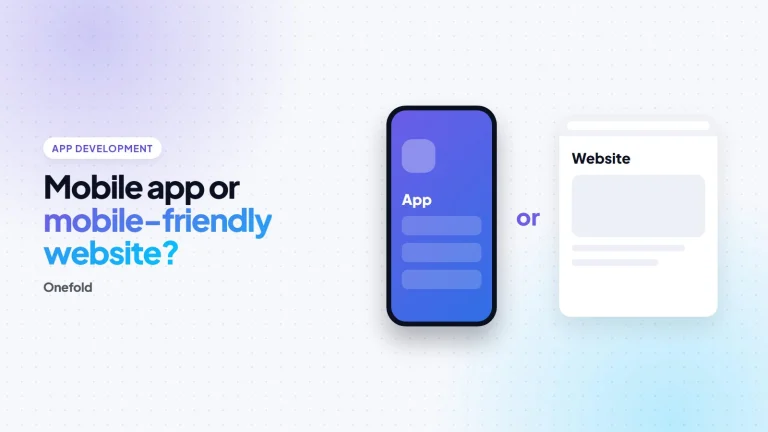
October 26, 2026 · App Development
Not sure if your business needs an app? Use this simple guide to compare apps and websites on cost, features, speed to…
Questions
Website forms can be connected directly. Facebook lead forms can be connected where the integration is available for your setup.
Yes. Roles and permissions can limit what each user sees, while managers see everything.
Yes. Stages, fields and reports are set up to match your sales process.
Tell us how your team sells today. We reply with a CRM plan and an honest quote.